







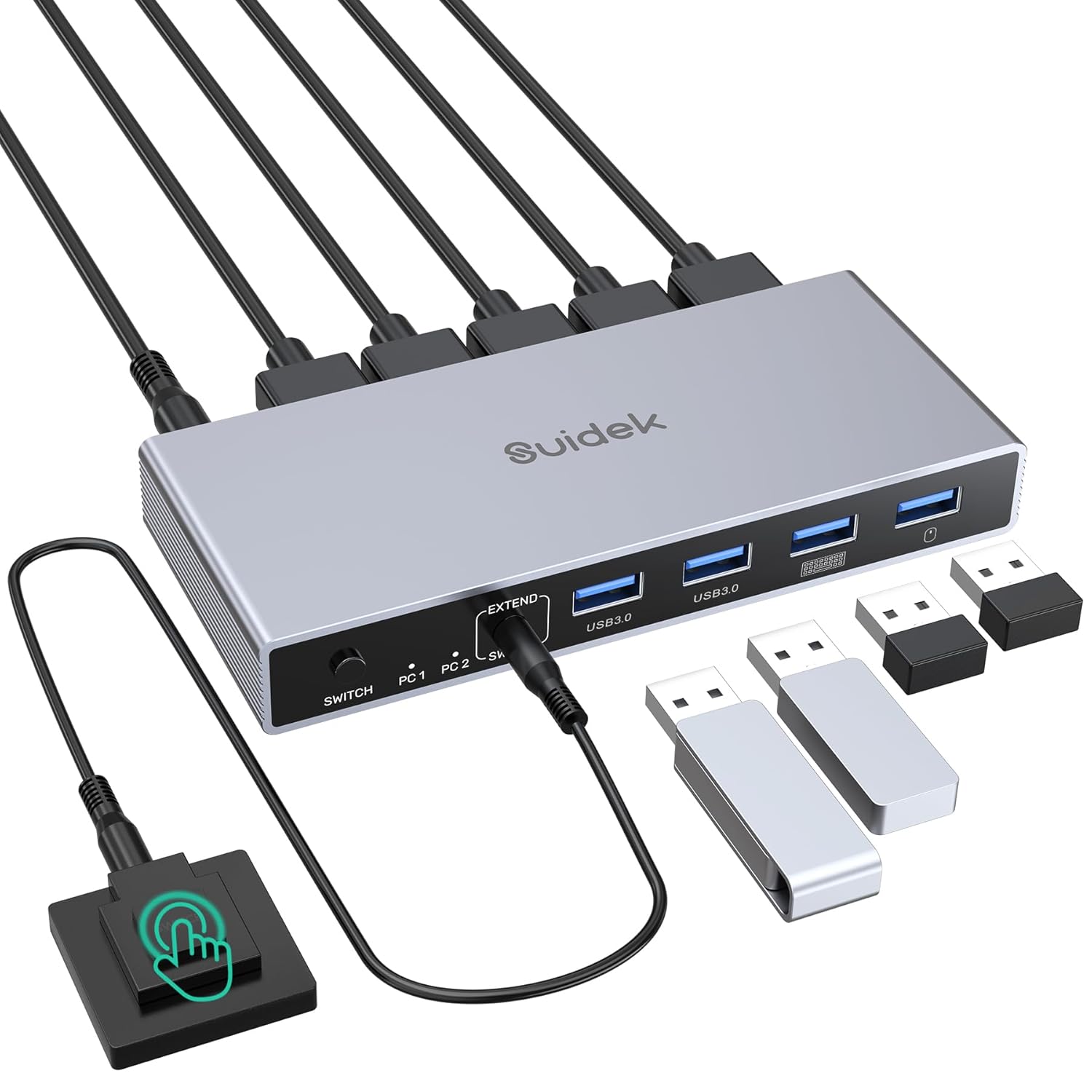


SUIDEK Displayport KVM Switch 2 Monitors 2 Computers 4K@60Hz, KVM Switcher with 4 USB 3.0 for 2 Computers Sharing Dual Monitors Keyboard Mouse Printer, with 2 USB Cable, Controller and Adapter

 4.6 (80 items)
 Limited Time Sale
$44.39 cheaper than the new price!!
Free cash-on-delivery fees for purchases over $99
Product details
| Management number | 216119511 | Release Date | 2026/04/19 | List Price | $29.60 | Model Number | 216119511 | ||
|---|---|---|---|---|---|---|---|---|---|
| Category | |||||||||
- DP KVM Switch 2 Monitors 2 Computers: This USB KVM switcher enables two computers with DisplayPort interfaces to share two DisplayPort monitors. When you find the connections of traditional 2 in 2 out KVM switches too complicated, SUIDEK KVM switch simplify complex connections. Each computer requires only 1*DisplayPort interface and 1*USB Type-A interface, and each monitor requires only 1*HDMI interface. Note: Please ensure both your computer and monitor support DisplayPort interface
- KVM Switches with 4 USB 3.0 Ports and Audio Output: This KVM Switch Computers 2 Monitors has 3*USB A ports and 1*USB C port and features a headphone port for audio output.. You can share one mouse, keyboard, USB flash drive, printer, etc. USB 3.0 ports support data transfer rates of up to 5Gbps, enabling more efficient work and faster transfers of photos, files, and more. Note: Please connect the included 5V power adapter for use
- Up to 4K@60Hz Resolution: This 2 In 2 Out KVM switches supports up to 4K@60Hz Output, allowing you to enjoy realistic and colorful visual effects. And supports multiple operating systems, including Windows, Mac OS, and Linux. Note: To achieve 4K output, you need to connect a cable that also supports up to 4K output. And make sure the resolution of the input and output are the same
- 2 Ways of Switching and LED Indicator: It has 2 ways of switching: 1, Switch using the physical buttons on the KVM Switch. 2, Connect the included desktop controller to the KVM Switch first, then use the desktop controller to switch between devices. Then you can see which computer is connected via the indicator light
- NOTE: 1, Please ensure the included power adapter is connected during use. 2, Please ensure both your computer and monitor support DisplayPort interface. 3, It is recommended to remove the protective film before use. 4, Please make sure that both DP/USB IN are connected to work properly. 5, EDID is not supported. 6, Switching is not supported in sleep mode
- Package Contents: 1 x DP KVM Switch, 2 x USB A to USB A Cable, 1 x Desktop Controller, 1 x Power Adapter, 1 x Power Cable, 1 x User Manual. Please contact us if you have any questions before purchase or during use. We provide 24H customer friendly support service. (To meet your requirements for different cable lengths and quality, DP cables need to be purchased separately, allowing you to select the cable best suited to your work environment.)


| Color | Black |
|---|---|
| Wattage | 10 watts |
| Terminal | Dual Dp |
| Brand Name | SUIDEK |
| Unit Count | 1.0 Count |
| Item Weight | 0.9 Pounds |
| Switch Type | Push Button |
| Circuit Type | 2-way |
| Contact Type | Normally Open |
| Manufacturer | Shenzhen Saijiwei Technology co., Ltd. |
| Material Type | Aluminum |
| Mounting Type | Surface Mount |
| Connector Type | Plug In |
| Control Method | Push Button, Remote |
| Current Rating | 2 Amps |
| Operation Mode | ON-OFF-ON |
| Controller Type | Push Button |
| Item Dimensions | 5.12 x 2.44 x 1.18 inches |
| Number of Items | 1 |
| Contact Material | Aluminum |
| Operating Voltage | 5 Volts |
| Specification Met | FCC |
| Included Components | KVM Switch |
| Number of Positions | 2 |
| Warranty Description | 2 Year Manufacturer |
| Connectivity Protocol | DisplayPort, USB |
| Lower Temperature Rating | 15 Degrees Fahrenheit |
| Upper Temperature Rating | 100 Degrees Fahrenheit |
| International Protection Rating | IP44 |
Radiator Fan


KVM Switches



Correction of product information
If you notice any omissions or errors in the product information on this page, please use the correction request form below.
Correction Request Form