



New
Arrivals/Restock

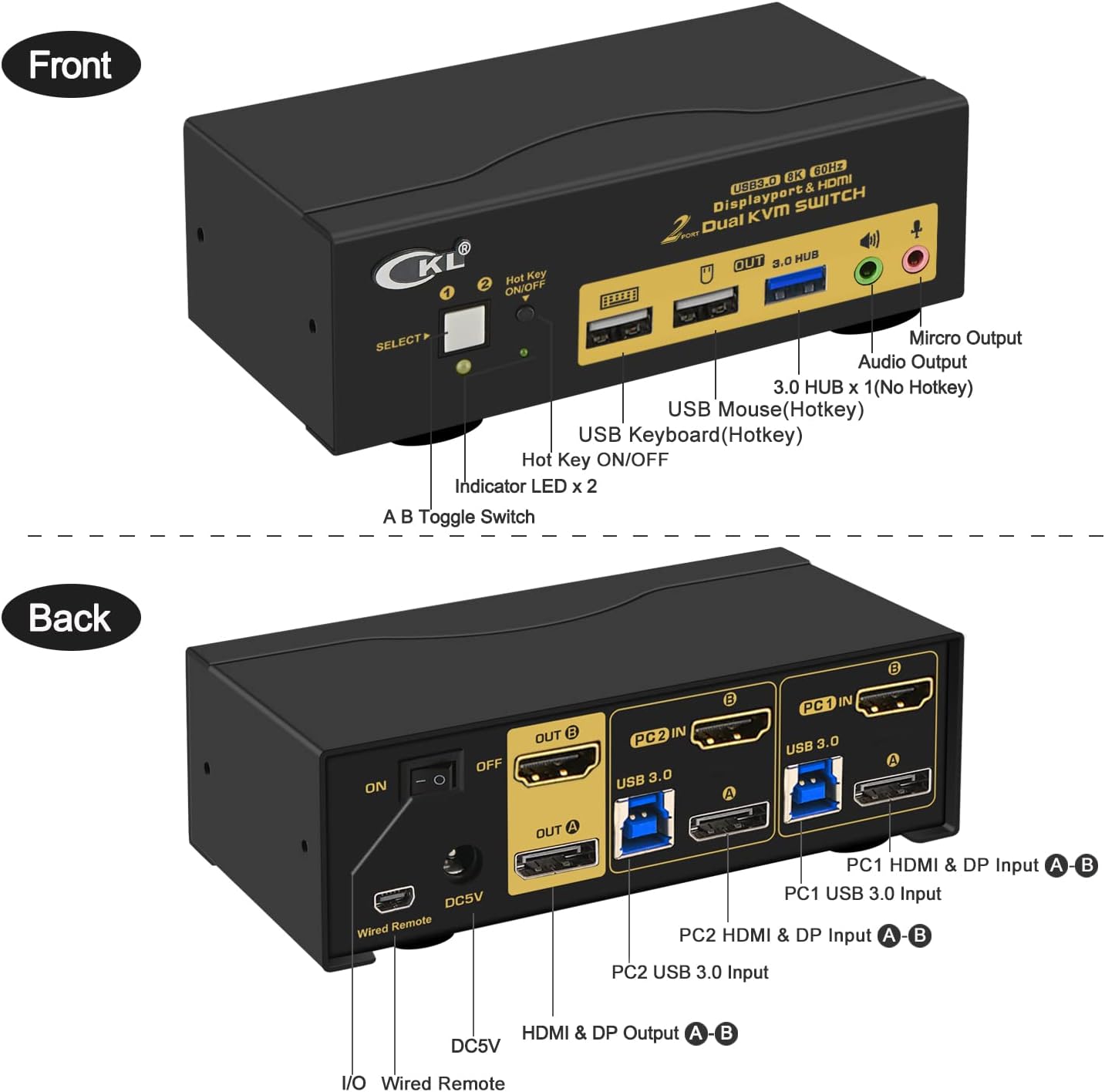



CKL 2 Port USB 3.0 KVM Switch Dual Monitor HDMI 2.0 4K@60Hz(HDMI Out) + DisplayPort 1.4 8K 30Hz 4K 120Hz 144Hz (DP Out), Keyboard Video Mouse Peripherals Switcher for 2 Computers 2 Monitors with Audio

 4.6 (40 items)
 Limited Time Sale
Until the end
08
16
46
$54.00 cheaper than the new price!!
Free shipping for purchases over $99 ( Details )
Free cash-on-delivery fees for purchases over $99
Free cash-on-delivery fees for purchases over $99
See all stores
Please note that the sales price and tax displayed may differ between online and in-store. Also, the product may be out of stock in-store.
New $90.00
Product details
| Management number | 208660705 | Release Date | 2026/03/22 | List Price | $36.00 | Model Number | 208660705 | ||
|---|---|---|---|---|---|---|---|---|---|
| Category | |||||||||
- KVM SWITCH DUAL MONITOR 2 PORT: If you have 2 computers or laptops, one for personal or gaming, the other for work, this is a premium tool for you to control them using 1 set of keyboard, mouse and dual extended monitors, and share 2 more USB peripherals. Save your space and equipment spending significantly.
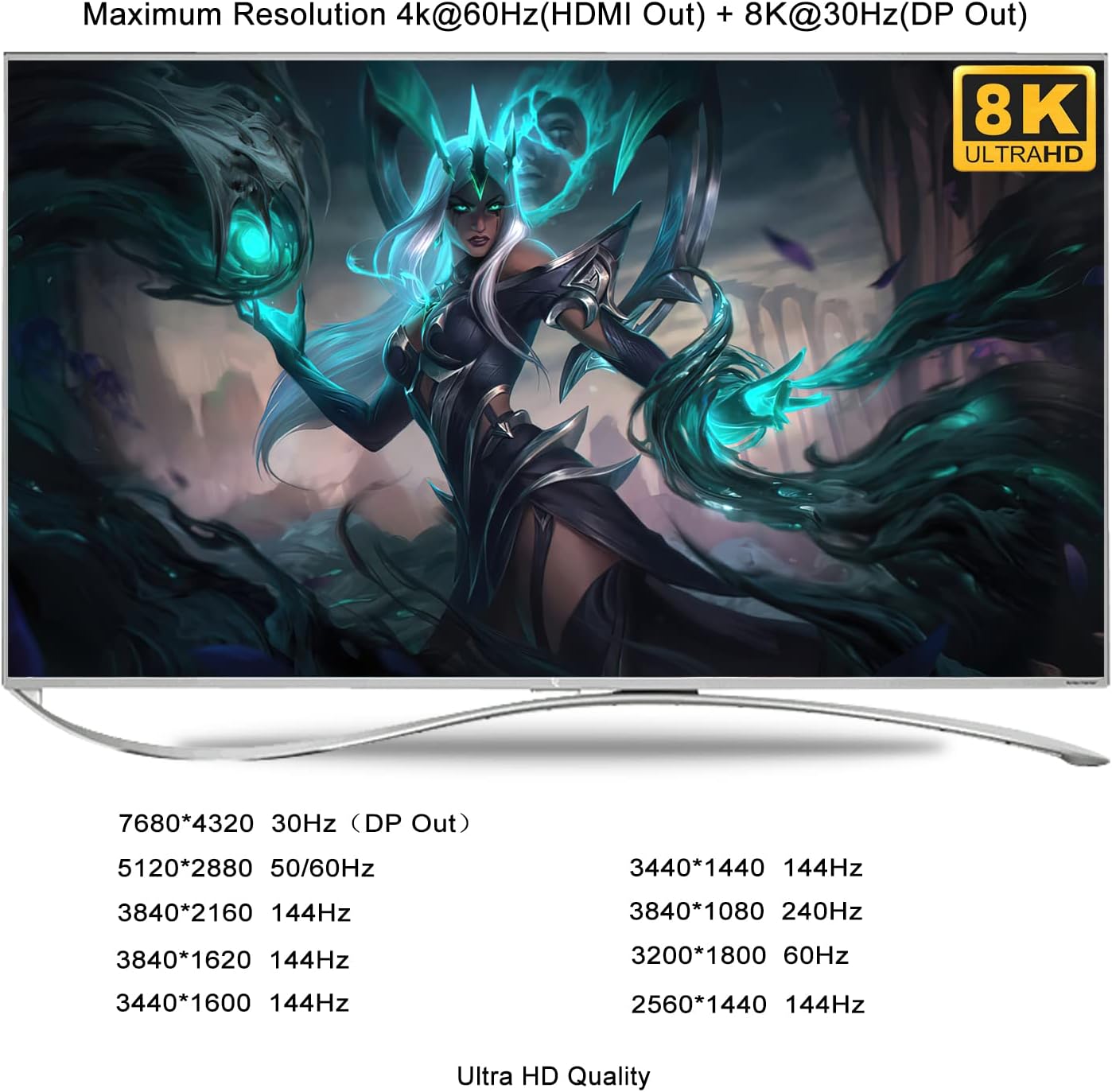
- DUAL MONITOR KVM SWITCH HDMI 4K + DisplayPort 8K: Adopts HDMI 2.0 technology to achieve max. Resolution up to 4K@60Hz, and DisplayPort 1.4 for resolution up to 7680*4320@30Hz, 5120*2880/1440@50/60Hz, 3840*2160@144hz, 3440*1440@144Hz, 3840*1080@240hz, 2560*1440@144hz, ideal for high resolution needs and gaming without delay. Note: this model does not support EDID emulation.
- USB 3.0 KVM SWITCH 2 MONITORS 2 COMPUTERS: The integrated USB 3.0 HUB ports allows you to share 1 more USB peripherals like printers, webcam, flash drives and headset between 2 computers. It has 2 HDMI outputs for extended or mirrored displays on one selected computer at the same time.
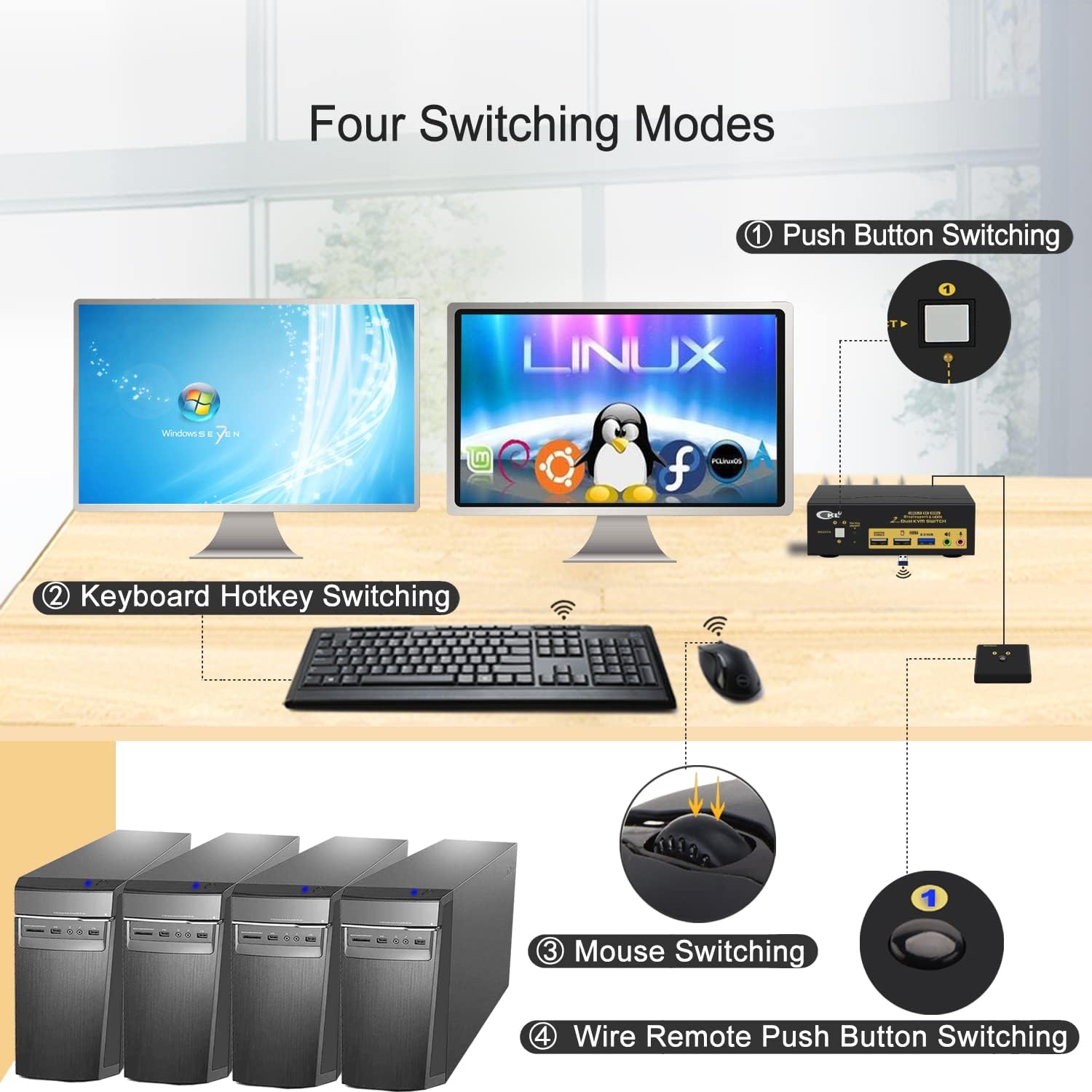
- NOT MANY KVM SWITCHES HAVE 5 SWITCHING MODES: It supports multiple switching modes using keyboard hotkey, mouse roller clicks, push button and wired remote, as well as auto scan with adjustable interval between 8 - 999 seconds for testing and Surveillance purpose.
- HDMI+DISPLAYPORT KVM SWITCH WITH AUDIO AND MIC SUPPORT: Supports both 3.5mm stereo speaker output (green) and microphone input (pink) and HDMI digital audio through the same green audio port. Please refer to user manual for how to set the audio and change between the 2 audio options.
KVM Switches



Correction of product information
If you notice any omissions or errors in the product information on this page, please use the correction request form below.
Correction Request Form